
Different Ways to Sign PDF Online with KAiZEN eSign

How Can You Sign a PDF Online With KAiZEN eSign?
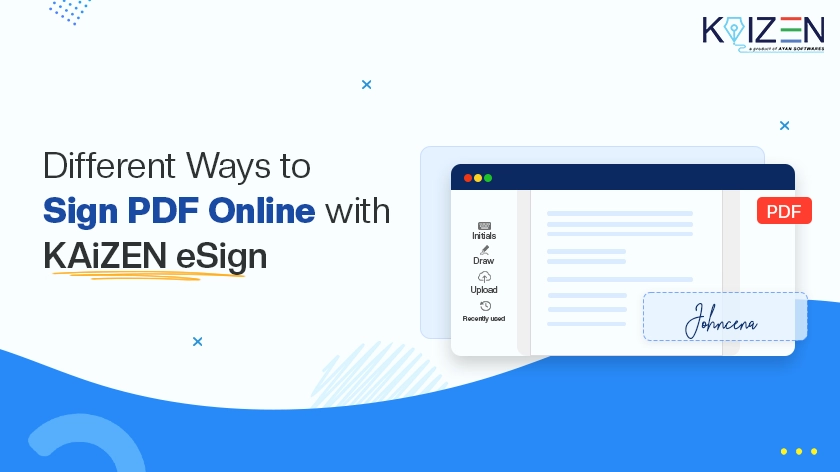
You can Sign PDF online with KAiZEN eSign in four ways: type your name, draw your signature with a mouse, stylus or finger, upload a signature image, or reuse a saved signature. All four work for single-signer and multi-signer documents, so you can pick the method that suits your workflow.
Key takeaways
- Type for speed, draw for a natural feel, upload for consistency, and reuse a saved signature for repeat work.
- You can add dates, text fields and checkboxes while you sign.
- Several people can sign one PDF, in order or at the same time.
- Your first 10 eSigns are free, with no credit card required.
Which Signing Method Should You Use?
| Method | How it works | Best for |
|---|---|---|
| Type | Enter your name or initials and pick a generated style | Quick, simple signing |
| Draw | Draw with a mouse, stylus or finger | A personal, handwritten feel |
| Upload | Upload a PNG, JPG or JPEG image of your signature | A consistent signature across documents |
| Saved signature | Choose from your recently used signatures | Frequent users and repeat workflows |
A simple rule: type when you want speed, draw when you want it to look like your handwriting, and reuse a saved signature when you sign often.
1. How Do You Type Your Signature and Add Initials?
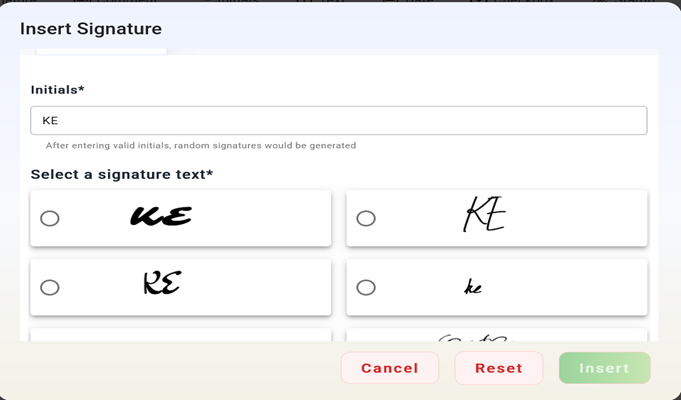
Typing your name is the easiest way to sign a PDF. Enter your name or initials, choose from several generated signature styles and select the one you prefer.
Best for: quick and simple signing.
2. How Do You Draw Your Signature?
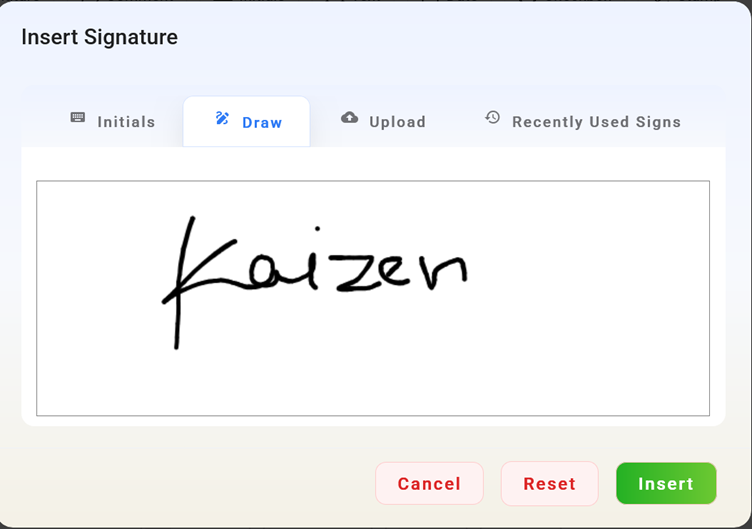
Drawing closely replicates signing on paper. Draw your signature with a mouse, stylus or touchscreen. It gives a natural handwritten look, and it suits people who prefer signing by hand.
Best for: a personalised signing experience.
3. How Do You Upload a Signature Image?
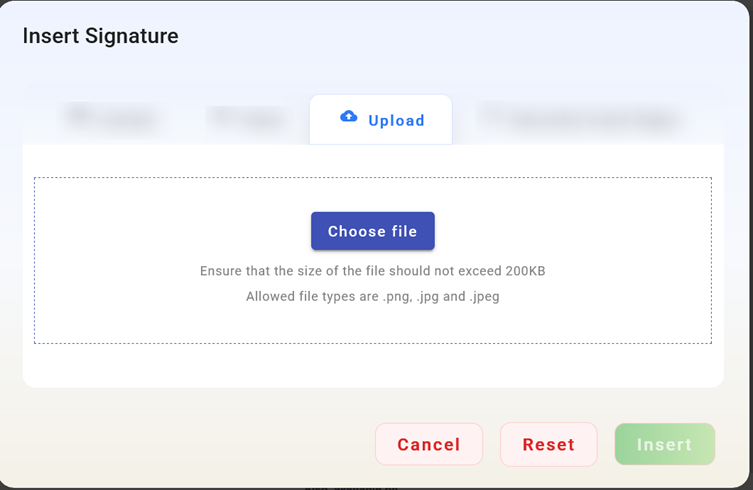
If you already have a signature image, you can upload it and place it anywhere in the document. This keeps your signature the same across documents.
Best for: standardised signatures.
4. How Do You Reuse a Saved Signature?
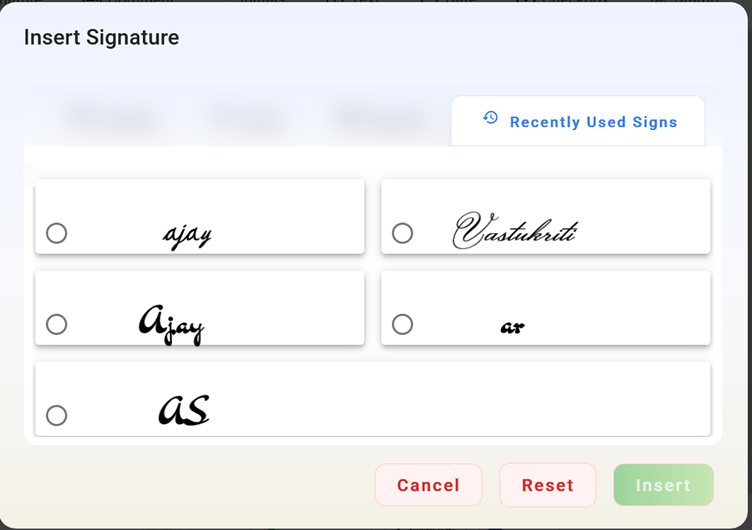
KAiZEN eSign lets you choose from your recently used signatures, so you do not need to recreate your signature every time. This speeds up repeat signing.
Best for: frequent signers and repeated workflows.
Can Several People Sign the Same PDF?
Yes. Many documents need more than one signature, and KAiZEN eSign supports multi-signer workflows:
- Sequential signing. Signers complete the document one after another, in the order you set.
- Parallel signing. Several signers can sign at the same time.
This suits agreements, approvals, contracts and team decisions. For batches, see bulk document signing.
What Else Can You Add While Signing?
Besides a signature, you can add fillable fields, which turn a static PDF into an interactive document and reduce back-and-forth:
- Date fields.
- Text inputs.
- Checkboxes.
- Approval markers.
See all options on the features page.
Are Electronic Signatures on PDFs Legally Valid?
In many countries, yes, when the signer meant to sign, agreed to sign electronically, and the signing is recorded. Here is how the main laws compare:
| Jurisdiction | Law | What it covers | What KAiZEN eSign provides |
|---|---|---|---|
| India | Information Technology Act, 2000 (Section 3A for electronic signatures, Section 10A for contracts formed electronically), including Aadhaar eSign | Recognises electronic signatures and contracts formed by electronic means | Audit trail with timestamp and signer details [: IP address, geolocation, tamper-evident PDF] |
| United States | ESIGN Act (15 U.S.C. 7001 et seq.) and UETA | A signature or record cannot be denied legal effect only because it is electronic | Audit trail with timestamp and signer details |
| European Union | eIDAS Regulation (simple, advanced and qualified signatures) | Recognises electronic signatures at three levels, with qualified signatures having the highest legal effect | Support for eIDAS, DSC and AATL |
Some documents, such as wills, trusts, powers of attorney, negotiable instruments (other than cheques) and contracts for the sale of immovable property, are exceptions in India and may need traditional execution or registration. Rules in other countries differ. This section is for information and is not legal advice. See our Trust & Compliance page for more.
Try Signing a PDF With KAiZEN eSign
The quickest way to find your favourite method is to sign one real document. Start free with KAiZEN eSign or book a demo. Your first 10 eSigns are free, with no credit card required.
FAQs
Is a typed signature legally valid?
Often yes, but it depends on the document and country. Electronic signatures, including typed names, are recognised under the IT Act, 2000 in India, the ESIGN Act in the US and eIDAS in the EU when the signer intended to sign and the signing is recorded. Some documents, such as wills, need other formalities.
Can I upload a photo of my handwritten signature?
Yes. KAiZEN eSign accepts signature images in PNG, JPG or JPEG format. Sign on plain white paper with a dark pen, take a clear photo, crop it and upload it. You can then place it anywhere on the PDF and reuse it on other documents. [VERIFY file types]
Can I reuse my signature on other PDFs?
Yes. KAiZEN eSign lets you choose from your recently used signatures, so you do not need to recreate your signature each time. This helps most when you sign the same kinds of documents often, such as approvals or agreements.
Can more than one person sign the same PDF?
Yes. You can add several signers and set a signing order so people sign one after another. Fillable fields such as dates and text boxes can be added for each person. The page also describes parallel signing, where signers sign at the same time
Can I sign a PDF on my phone?
Yes. KAiZEN eSign works on desktop, tablet and mobile, and there is an iOS app. You can draw your signature with a finger, type it or use a saved one. People who receive a request can also open the link and sign from a browser.
Do signers need an account to sign?
No. Signers who receive a request can sign from a secure link in their browser without creating an account. The person who sends the document needs a free KAiZEN eSign account.
Sign up for Free
Trial today!
Try KAiZEN for free

How Can You Sign a PDF Online With KAiZEN eSign?
You can Sign PDF online with KAiZEN eSign in four ways: type your name, draw your signature with a mouse, stylus or finger, upload a signature image, or reuse a saved signature. All four work for single-signer and multi-signer documents, so you can pick the method that suits your workflow.
Key takeaways
- Type for speed, draw for a natural feel, upload for consistency, and reuse a saved signature for repeat work.
- You can add dates, text fields and checkboxes while you sign.
- Several people can sign one PDF, in order or at the same time.
- Your first 10 eSigns are free, with no credit card required.
Which Signing Method Should You Use?
| Method | How it works | Best for |
|---|---|---|
| Type | Enter your name or initials and pick a generated style | Quick, simple signing |
| Draw | Draw with a mouse, stylus or finger | A personal, handwritten feel |
| Upload | Upload a PNG, JPG or JPEG image of your signature | A consistent signature across documents |
| Saved signature | Choose from your recently used signatures | Frequent users and repeat workflows |
A simple rule: type when you want speed, draw when you want it to look like your handwriting, and reuse a saved signature when you sign often.
1. How Do You Type Your Signature and Add Initials?
Typing your name is the easiest way to sign a PDF. Enter your name or initials, choose from several generated signature styles and select the one you prefer.
Best for: quick and simple signing.
2. How Do You Draw Your Signature?
Drawing closely replicates signing on paper. Draw your signature with a mouse, stylus or touchscreen. It gives a natural handwritten look, and it suits people who prefer signing by hand.
Best for: a personalised signing experience.
3. How Do You Upload a Signature Image?
If you already have a signature image, you can upload it and place it anywhere in the document. This keeps your signature the same across documents.
Best for: standardised signatures.
4. How Do You Reuse a Saved Signature?
KAiZEN eSign lets you choose from your recently used signatures, so you do not need to recreate your signature every time. This speeds up repeat signing.
Best for: frequent signers and repeated workflows.
Can Several People Sign the Same PDF?
Yes. Many documents need more than one signature, and KAiZEN eSign supports multi-signer workflows:
- Sequential signing. Signers complete the document one after another, in the order you set.
- Parallel signing. Several signers can sign at the same time.
This suits agreements, approvals, contracts and team decisions. For batches, see bulk document signing.
What Else Can You Add While Signing?
Besides a signature, you can add fillable fields, which turn a static PDF into an interactive document and reduce back-and-forth:
- Date fields.
- Text inputs.
- Checkboxes.
- Approval markers.
See all options on the features page.
Are Electronic Signatures on PDFs Legally Valid?
In many countries, yes, when the signer meant to sign, agreed to sign electronically, and the signing is recorded. Here is how the main laws compare:
| Jurisdiction | Law | What it covers | What KAiZEN eSign provides |
|---|---|---|---|
| India | Information Technology Act, 2000 (Section 3A for electronic signatures, Section 10A for contracts formed electronically), including Aadhaar eSign | Recognises electronic signatures and contracts formed by electronic means | Audit trail with timestamp and signer details [: IP address, geolocation, tamper-evident PDF] |
| United States | ESIGN Act (15 U.S.C. 7001 et seq.) and UETA | A signature or record cannot be denied legal effect only because it is electronic | Audit trail with timestamp and signer details |
| European Union | eIDAS Regulation (simple, advanced and qualified signatures) | Recognises electronic signatures at three levels, with qualified signatures having the highest legal effect | Support for eIDAS, DSC and AATL |
Some documents, such as wills, trusts, powers of attorney, negotiable instruments (other than cheques) and contracts for the sale of immovable property, are exceptions in India and may need traditional execution or registration. Rules in other countries differ. This section is for information and is not legal advice. See our Trust & Compliance page for more.
Try Signing a PDF With KAiZEN eSign
The quickest way to find your favourite method is to sign one real document. Start free with KAiZEN eSign or book a demo. Your first 10 eSigns are free, with no credit card required.
FAQs
Is a typed signature legally valid?
Often yes, but it depends on the document and country. Electronic signatures, including typed names, are recognised under the IT Act, 2000 in India, the ESIGN Act in the US and eIDAS in the EU when the signer intended to sign and the signing is recorded. Some documents, such as wills, need other formalities.
Can I upload a photo of my handwritten signature?
Yes. KAiZEN eSign accepts signature images in PNG, JPG or JPEG format. Sign on plain white paper with a dark pen, take a clear photo, crop it and upload it. You can then place it anywhere on the PDF and reuse it on other documents. [VERIFY file types]
Can I reuse my signature on other PDFs?
Yes. KAiZEN eSign lets you choose from your recently used signatures, so you do not need to recreate your signature each time. This helps most when you sign the same kinds of documents often, such as approvals or agreements.
Can more than one person sign the same PDF?
Yes. You can add several signers and set a signing order so people sign one after another. Fillable fields such as dates and text boxes can be added for each person. The page also describes parallel signing, where signers sign at the same time
Can I sign a PDF on my phone?
Yes. KAiZEN eSign works on desktop, tablet and mobile, and there is an iOS app. You can draw your signature with a finger, type it or use a saved one. People who receive a request can also open the link and sign from a browser.
Do signers need an account to sign?
No. Signers who receive a request can sign from a secure link in their browser without creating an account. The person who sends the document needs a free KAiZEN eSign account.
Sign up for Free
Trial today!
Try KAiZEN for free