
How to Send Invoices for eSignature Directly from Tally?

Managing invoices efficiently is critical for every business, but waiting for physical signatures often slows down payments and creates useless delays. Imagine if you could create invoices in Tally Prime and send it for a legally valid eSignature instantly.
That’s exactly where KAiZEN eSign comes in. KAiZEN eSign seamlessly integrates with Tally Prime to let you send invoices for eSignature directly from your regular billing process. With a fully secure and digital workflow, you can speed up approvals dramatically by turning days of waiting into just a few minutes.
From startups to large enterprises, eSignatures in Tally help businesses accelerate cash flow through a secure and fully digital billing process. In this guide, you will learn how to send invoices for eSignature directly from Tally using KAiZEN eSign and why this powerful integration is a game-changer for modern invoicing.
Why Use KAiZEN eSign for Tally Invoices
- With traditional e-signing in Tally, you’d need a DSC (Digital Signature Certificate) token or dongle, configure export settings, manually export or print the invoice, sign, and then resend — a tedious, error-prone process.
- KAiZEN eSign eliminates all that: no DSC tokens, no manual export/print cycles, no switching between tools. You get a smooth, native workflow directly inside Tally Prime.
- The invoice becomes tamper-proof, legally compliant, and audit-ready — reducing compliance risk and boosting trust with clients.
- You also get status tracking — you’ll know when the invoice is signed, downloaded, and finalized.
Step-by-Step: Send Invoice for eSignature from Tally + KAiZEN
Assuming you already have KAiZEN Tally Installer set up and basic voucher settings configured in KAiZEN (as required).
-
Open Tally Prime Application

-
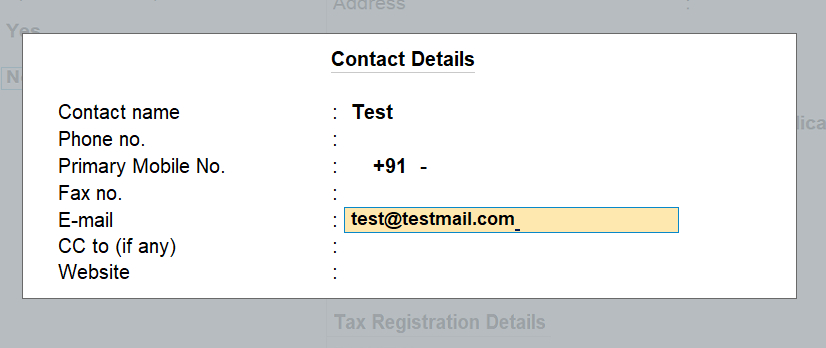
Create or select the customer ledger (under Accounting Masters), ensuring you enter the customer’s contact & email ID — crucial for eSignature delivery.
-
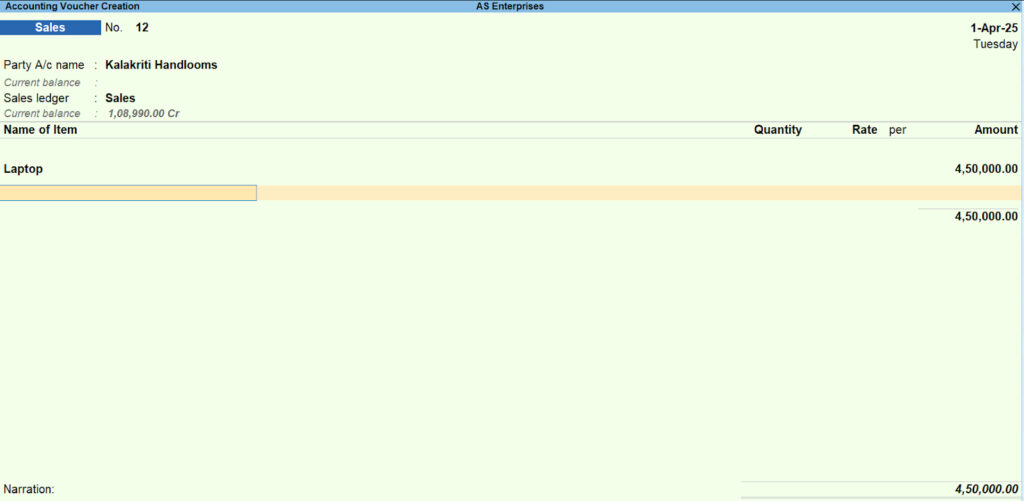
Create a Sales Voucher (i.e. invoice) — as you normally would: select the Party A/C name, fill in item details (products/services, quantity, price).
-
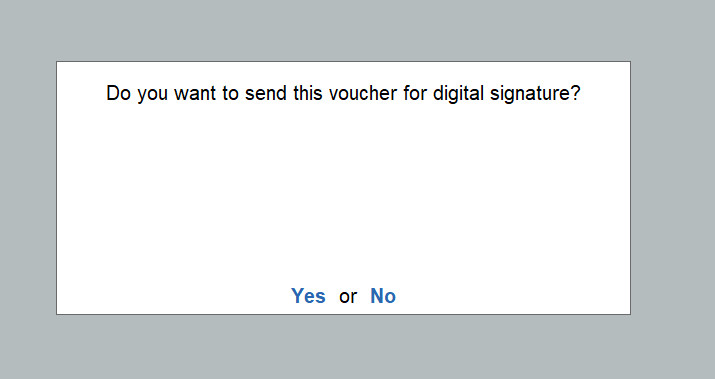
Before saving the voucher, confirm that you want to send it for eSigning. When prompted, choose “Yes.”
-
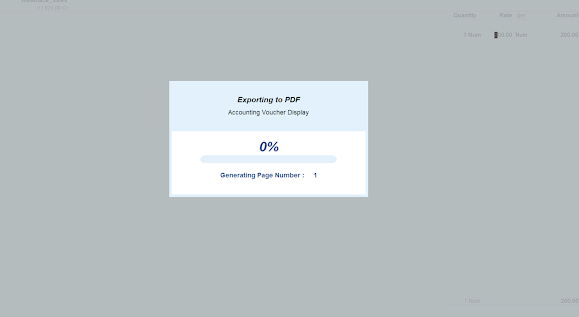
Opt to share the invoice via email (or appropriate sharing channel) — this action sends the invoice to the customer for eSignature.
-
Once the customer signs the invoice via KAiZEN, return to Tally → open the voucher from Day Book, and click “Check for Status”. The status will update to “Signed.”

-
Finally, you’ll see the signed copy of the invoice stored in Tally (or as PDF), ready to be shared, archived, or used for records.
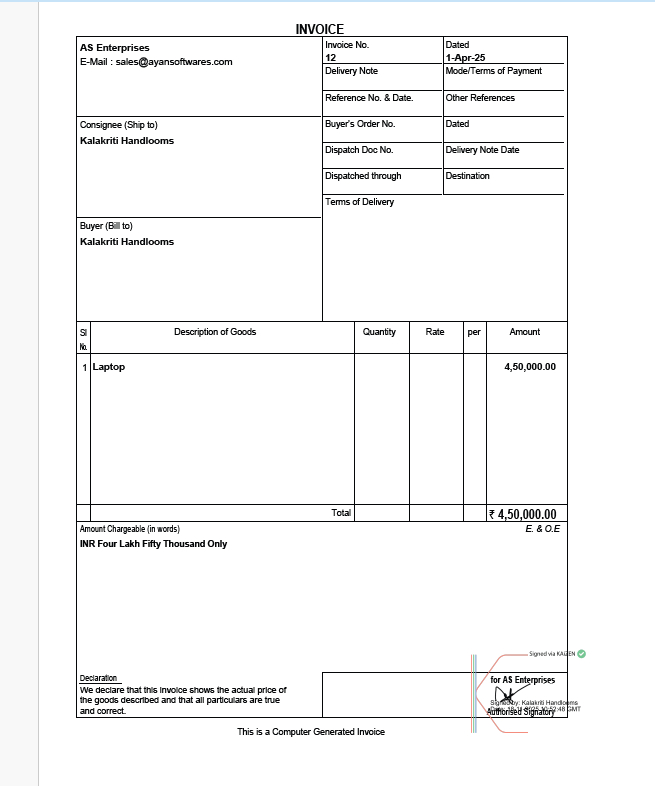
And that’s it — you’ve sent an invoice directly from Tally for eSignature, and received the signed version, without leaving your accounting system.
Benefits of This Workflow
| Benefit | Why it Matters |
|---|---|
| Speed & convenience | No printing, scanning or physical courier — invoicing and signing happens within minutes. |
| Legal & compliance ready | The signed invoice is DSC-compliant and tamper-proof, giving legal validity under Indian e-signature norms. |
| Reduced errors & delays | Eliminates manual paperwork, reduces chances of lost invoices, and eliminates courier/printing delays. |
| Audit trail & record-keeping | Every signed invoice is stored digitally, with signature status, timestamp, and download in Tally — perfect for audit or GST compliance. |
Pro Tips & Best Practices
- Always make sure the customer ledger includes correct contact & email ID — that determines where the eSign request is sent.
- Use the “Check for Status” button regularly to update invoice status — useful especially when sending multiple invoices or bulk invoices.
- For clients who are new to eSign — communicate clearly that they’ll receive an email (or link) for signing; many businesses now accept e-signed invoices as valid.
- Store the signed PDF safely, and archive along with relevant GST/compliance docs — digital record-keeping reduces paper clutter and helps with audits.
Final Thoughts
With KAiZEN eSign integrated with Tally Prime, sending your sales invoices for eSignature becomes as simple as creating a voucher — but with the power of digital signing, compliance, and automation.
If you haven’t already set up KAiZEN Tally Installer or configured voucher settings, getting started is quick. Once done, you’ll save time, eliminate paperwork, and speed up invoice approvals — helping you get paid faster while staying fully compliant.
Sign up for Free
Trial today!
Try KAiZEN for free

Managing invoices efficiently is critical for every business, but waiting for physical signatures often slows down payments and creates useless delays. Imagine if you could create invoices in Tally Prime and send it for a legally valid eSignature instantly.
That’s exactly where KAiZEN eSign comes in. KAiZEN eSign seamlessly integrates with Tally Prime to let you send invoices for eSignature directly from your regular billing process. With a fully secure and digital workflow, you can speed up approvals dramatically by turning days of waiting into just a few minutes.
From startups to large enterprises, eSignatures in Tally help businesses accelerate cash flow through a secure and fully digital billing process. In this guide, you will learn how to send invoices for eSignature directly from Tally using KAiZEN eSign and why this powerful integration is a game-changer for modern invoicing.
Why Use KAiZEN eSign for Tally Invoices
- With traditional e-signing in Tally, you’d need a DSC (Digital Signature Certificate) token or dongle, configure export settings, manually export or print the invoice, sign, and then resend — a tedious, error-prone process.
- KAiZEN eSign eliminates all that: no DSC tokens, no manual export/print cycles, no switching between tools. You get a smooth, native workflow directly inside Tally Prime.
- The invoice becomes tamper-proof, legally compliant, and audit-ready — reducing compliance risk and boosting trust with clients.
- You also get status tracking — you’ll know when the invoice is signed, downloaded, and finalized.
Step-by-Step: Send Invoice for eSignature from Tally + KAiZEN
Assuming you already have KAiZEN Tally Installer set up and basic voucher settings configured in KAiZEN (as required).
-
Open Tally Prime Application
-
Create or select the customer ledger (under Accounting Masters), ensuring you enter the customer’s contact & email ID — crucial for eSignature delivery.
-
Create a Sales Voucher (i.e. invoice) — as you normally would: select the Party A/C name, fill in item details (products/services, quantity, price).
-
Before saving the voucher, confirm that you want to send it for eSigning. When prompted, choose “Yes.”
-
Opt to share the invoice via email (or appropriate sharing channel) — this action sends the invoice to the customer for eSignature.
-
Once the customer signs the invoice via KAiZEN, return to Tally → open the voucher from Day Book, and click “Check for Status”. The status will update to “Signed.”
-
Finally, you’ll see the signed copy of the invoice stored in Tally (or as PDF), ready to be shared, archived, or used for records.
And that’s it — you’ve sent an invoice directly from Tally for eSignature, and received the signed version, without leaving your accounting system.
Benefits of This Workflow
| Benefit | Why it Matters |
|---|---|
| Speed & convenience | No printing, scanning or physical courier — invoicing and signing happens within minutes. |
| Legal & compliance ready | The signed invoice is DSC-compliant and tamper-proof, giving legal validity under Indian e-signature norms. |
| Reduced errors & delays | Eliminates manual paperwork, reduces chances of lost invoices, and eliminates courier/printing delays. |
| Audit trail & record-keeping | Every signed invoice is stored digitally, with signature status, timestamp, and download in Tally — perfect for audit or GST compliance. |
Pro Tips & Best Practices
- Always make sure the customer ledger includes correct contact & email ID — that determines where the eSign request is sent.
- Use the “Check for Status” button regularly to update invoice status — useful especially when sending multiple invoices or bulk invoices.
- For clients who are new to eSign — communicate clearly that they’ll receive an email (or link) for signing; many businesses now accept e-signed invoices as valid.
- Store the signed PDF safely, and archive along with relevant GST/compliance docs — digital record-keeping reduces paper clutter and helps with audits.
Final Thoughts
With KAiZEN eSign integrated with Tally Prime, sending your sales invoices for eSignature becomes as simple as creating a voucher — but with the power of digital signing, compliance, and automation.
If you haven’t already set up KAiZEN Tally Installer or configured voucher settings, getting started is quick. Once done, you’ll save time, eliminate paperwork, and speed up invoice approvals — helping you get paid faster while staying fully compliant.
Sign up for Free
Trial today!
Try KAiZEN for free