
Chrome Extension for eSigning: The Complete Guide
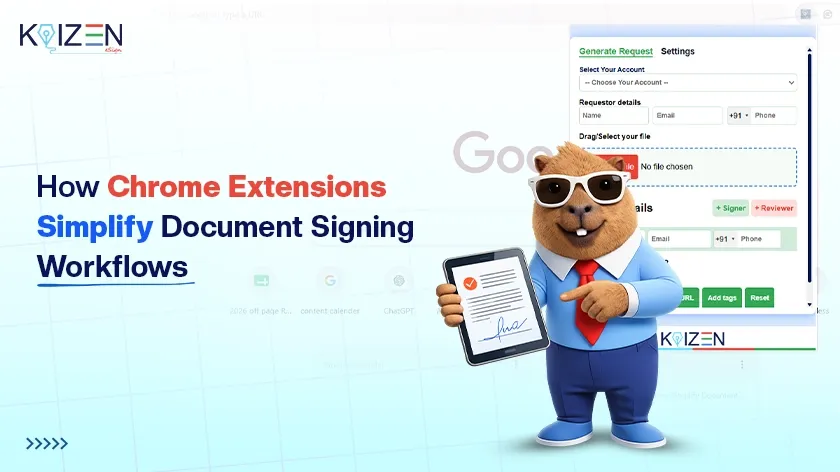

A Chrome extension for eSigning is quickly becoming the simplest way to handle document signing without leaving your browser.
Nowadays nobody likes printing a paper just to sign it, scanning it back in, and emailing it off. It takes too long. If you are busy and do not have time for all that, a browser-based signing tool can help.
This guide covers what a Chrome eSigning extension is, why it helps, and how a tool like KAiZEN eSign makes signing documents easy.
How to Pick the Right Chrome Extension for eSigning
Not every signing extension is good. Pick one that actually fits how you work. Here is what to check when choosing one:
- It should not ask you to log in over and over. Sign in once, that is it.
- It should open PDF files right inside Chrome. No extra app needed.
- It should use encryption to keep your document safe from start to finish.
- The signature should actually count legally, not just look nice.
- If your team uses Salesforce, pick one that connects to it too.
KAiZEN eSign covers all of this, which is why so many teams use it as their go-to browser signing tool. It is also compliant with the IT Act 2000, ISO 27001, and SOC 2 Type II, which means every signature you collect is legally valid and audit-ready.
What KAiZEN eSign Lets You Do
KAiZEN eSign is simple. You sign your documents without leaving Chrome or downloading anything extra.
- Open a PDF right in your browser and sign it in a couple of clicks
- Once signed, it goes back out right away with no extra steps
- If you handle more than one client or department, switching accounts is easy
- Use it on your laptop, your phone, or a tablet
- Always see what is signed and what is still pending in real time
This works the same way whether you are at your desk or working remotely. There’s no fixed routine to learn — you just sign wherever you are, whenever the document lands in front of you.
How Signing a Document Actually Works
It is a lot simpler than it sounds. No training needed. Here is the step-by-step process:
- Step 1: Open the PDF that needs signing
- Step 2: Click the KAiZEN eSign icon in your Chrome toolbar
- Step 3: Add your signature, either draw it or use one you saved
- Step 4: Take a quick look at the document before sending
- Step 5: Hit send. Done.
No printer. No scanner. No waiting around. Just a fast, legally valid signature from inside your browser.
Simple and Quick eSigning Scenarios That Save You Time
Here is when this kind of tool actually saves time in real situations:
- A contract comes in overnight and you sign it before you even sit down at your desk
- You approve a form in the ten minutes between two meetings
- A client needs something signed at lunch so you do it from your phone
- One last approval shows up at night and you sign it from home instead of going back to the office
That flexibility is exactly what makes browser-based signing so valuable for growing businesses — approvals stop waiting on someone being at a specific desk. Learn more about how eSignatures support Indian businesses across different industries.
How the Extension Keeps Your Documents Safe
Safety matters most, especially with contracts. Here is why KAiZEN eSign is actually secure:
- Your document stays encrypted from upload to signature
- Once signed, it cannot be quietly changed or copied
- It is legally valid under the IT Act 2000 and internationally recognised standards
- Your personal information stays private the whole time
- Every signed document comes with a complete audit trail
Want to understand why audit trails matter so much for your business? Read our guide on electronic signatures for audits and how they protect you in disputes.
How It Fits Into Your Daily Work
A good signing extension does not make you change how you work. That matters especially if your team already runs on Salesforce — switching to a separate signing app just to close a deal adds friction most teams don’t need.
- View attachments straight from Salesforce without switching tabs
- Send files for signature without leaving your CRM
- Keep every document in one place with full visibility
- No training needed to get started
This seamless integration is what makes KAiZEN eSign a strong fit for sales teams, HR teams, and growing businesses alike. See how eSignatures support manufacturing and supply chain teams that need fast, reliable document workflows.
Chrome Extension eSigning vs. Traditional Methods
Still wondering if switching is worth it? Here is the honest comparison:
| Method | Time Taken | Security | Legal Validity |
|---|---|---|---|
| Print, sign, scan, email | 30 to 60 minutes | Low | Hard to prove |
| Standalone eSign app | 10 to 15 minutes | Medium | Depends on platform |
| KAiZEN eSign Chrome Extension | Under 2 minutes | High with encryption | Fully legal and audit-ready |
Conclusion
You do not even need a printer or a scanner to sign a document anymore. KAiZEN eSign makes it fast, safe, and simple with no complicated setup required.
What used to take a lot of time now takes only a few seconds. Keep it simple, stay organised, and let the extension do the rest.
Your first 10 eSigns are completely free. No credit card required. Start using KAiZEN eSign today and see how much time you save from day one.
Frequently Asked Questions
Yes. KAiZEN eSign’s Chrome extension produces legally valid signatures compliant with the IT Act 2000 in India, the ESIGN Act in the US, and eIDAS in Europe. Every signed document comes with a complete audit trail. Learn more about whether an electronic signature is legally binding in different situations.
No. KAiZEN eSign installs directly into your browser. There is no separate app to download. You can open, sign, and send PDFs directly from Chrome.
Yes. KAiZEN eSign integrates natively with Salesforce. You can view attachments, send documents for signature, and track signing status all from inside your Salesforce records without switching apps.
KAiZEN eSign uses a pay-per-signature model. You pay Rs 45 or $0.50 per signed document with no monthly fees and no seat charges. Your first 10 eSigns are completely free with no credit card required. Read our full guide on eSignature pricing to understand which model saves your business the most money.
Yes. KAiZEN eSign uses end-to-end encryption on every document. Once signed, the document is cryptographically sealed and cannot be changed. It is certified with ISO 27001 and SOC 2 Type II for enterprise-grade security.
Table of Contents
- How to Pick the Right Chrome Extension for eSigning
- What KAiZEN eSign Lets You Do
- How Signing a Document Actually Works
- Simple and Quick eSigning Scenarios That Save You Time
- How the Extension Keeps Your Documents Safe
- How It Fits Into Your Daily Work
- Chrome Extension eSigning vs. Traditional Methods
- Conclusion
- Frequently Asked Questions
Sign up for Free
Trial today!
Try KAiZEN for free

A Chrome extension for eSigning is quickly becoming the simplest way to handle document signing without leaving your browser.
Nowadays nobody likes printing a paper just to sign it, scanning it back in, and emailing it off. It takes too long. If you are busy and do not have time for all that, a browser-based signing tool can help.
This guide covers what a Chrome eSigning extension is, why it helps, and how a tool like KAiZEN eSign makes signing documents easy.
How to Pick the Right Chrome Extension for eSigning
Not every signing extension is good. Pick one that actually fits how you work. Here is what to check when choosing one:
- It should not ask you to log in over and over. Sign in once, that is it.
- It should open PDF files right inside Chrome. No extra app needed.
- It should use encryption to keep your document safe from start to finish.
- The signature should actually count legally, not just look nice.
- If your team uses Salesforce, pick one that connects to it too.
KAiZEN eSign covers all of this, which is why so many teams use it as their go-to browser signing tool. It is also compliant with the IT Act 2000, ISO 27001, and SOC 2 Type II, which means every signature you collect is legally valid and audit-ready.
What KAiZEN eSign Lets You Do
KAiZEN eSign is simple. You sign your documents without leaving Chrome or downloading anything extra.
- Open a PDF right in your browser and sign it in a couple of clicks
- Once signed, it goes back out right away with no extra steps
- If you handle more than one client or department, switching accounts is easy
- Use it on your laptop, your phone, or a tablet
- Always see what is signed and what is still pending in real time
This works the same way whether you are at your desk or working remotely. There’s no fixed routine to learn — you just sign wherever you are, whenever the document lands in front of you.
How Signing a Document Actually Works
It is a lot simpler than it sounds. No training needed. Here is the step-by-step process:
- Step 1: Open the PDF that needs signing
- Step 2: Click the KAiZEN eSign icon in your Chrome toolbar
- Step 3: Add your signature, either draw it or use one you saved
- Step 4: Take a quick look at the document before sending
- Step 5: Hit send. Done.
No printer. No scanner. No waiting around. Just a fast, legally valid signature from inside your browser.
Simple and Quick eSigning Scenarios That Save You Time
Here is when this kind of tool actually saves time in real situations:
- A contract comes in overnight and you sign it before you even sit down at your desk
- You approve a form in the ten minutes between two meetings
- A client needs something signed at lunch so you do it from your phone
- One last approval shows up at night and you sign it from home instead of going back to the office
That flexibility is exactly what makes browser-based signing so valuable for growing businesses — approvals stop waiting on someone being at a specific desk. Learn more about how eSignatures support Indian businesses across different industries.
How the Extension Keeps Your Documents Safe
Safety matters most, especially with contracts. Here is why KAiZEN eSign is actually secure:
- Your document stays encrypted from upload to signature
- Once signed, it cannot be quietly changed or copied
- It is legally valid under the IT Act 2000 and internationally recognised standards
- Your personal information stays private the whole time
- Every signed document comes with a complete audit trail
Want to understand why audit trails matter so much for your business? Read our guide on electronic signatures for audits and how they protect you in disputes.
How It Fits Into Your Daily Work
A good signing extension does not make you change how you work. That matters especially if your team already runs on Salesforce — switching to a separate signing app just to close a deal adds friction most teams don’t need.
- View attachments straight from Salesforce without switching tabs
- Send files for signature without leaving your CRM
- Keep every document in one place with full visibility
- No training needed to get started
This seamless integration is what makes KAiZEN eSign a strong fit for sales teams, HR teams, and growing businesses alike. See how eSignatures support manufacturing and supply chain teams that need fast, reliable document workflows.
Chrome Extension eSigning vs. Traditional Methods
Still wondering if switching is worth it? Here is the honest comparison:
| Method | Time Taken | Security | Legal Validity |
|---|---|---|---|
| Print, sign, scan, email | 30 to 60 minutes | Low | Hard to prove |
| Standalone eSign app | 10 to 15 minutes | Medium | Depends on platform |
| KAiZEN eSign Chrome Extension | Under 2 minutes | High with encryption | Fully legal and audit-ready |
Conclusion
You do not even need a printer or a scanner to sign a document anymore. KAiZEN eSign makes it fast, safe, and simple with no complicated setup required.
What used to take a lot of time now takes only a few seconds. Keep it simple, stay organised, and let the extension do the rest.
Your first 10 eSigns are completely free. No credit card required. Start using KAiZEN eSign today and see how much time you save from day one.
Frequently Asked Questions
Yes. KAiZEN eSign’s Chrome extension produces legally valid signatures compliant with the IT Act 2000 in India, the ESIGN Act in the US, and eIDAS in Europe. Every signed document comes with a complete audit trail. Learn more about whether an electronic signature is legally binding in different situations.
No. KAiZEN eSign installs directly into your browser. There is no separate app to download. You can open, sign, and send PDFs directly from Chrome.
Yes. KAiZEN eSign integrates natively with Salesforce. You can view attachments, send documents for signature, and track signing status all from inside your Salesforce records without switching apps.
KAiZEN eSign uses a pay-per-signature model. You pay Rs 45 or $0.50 per signed document with no monthly fees and no seat charges. Your first 10 eSigns are completely free with no credit card required. Read our full guide on eSignature pricing to understand which model saves your business the most money.
Yes. KAiZEN eSign uses end-to-end encryption on every document. Once signed, the document is cryptographically sealed and cannot be changed. It is certified with ISO 27001 and SOC 2 Type II for enterprise-grade security.
Sign up for Free
Trial today!
Try KAiZEN for free