
Why Audits Become a Nightmare And How Electronic Signatures Fix It
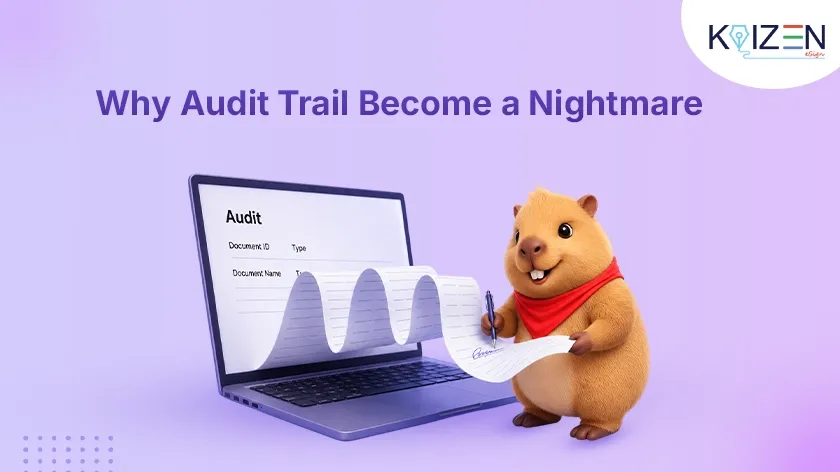
Electronic signatures for audits are the single most important thing businesses wish they had set up before the auditor walked in.
The auditor arrives Monday. It’s Friday at 4 PM. And no one can find the signed contract.
That one sentence captures the feeling exactly. Your hands get a little sweaty. You open the shared drive. You scroll. You search. Nothing. You check email. You ask your coworker. They shrug.
If you have ever lived that moment, this guide is for you. Learn how KAiZEN eSign solves every audit challenge with proper electronic signatures for audits.
Let’s Be Honest, Audits Are Stressful for Every Business
And the worst part? Most businesses don’t fail audits because they broke the rules. They fail because they can’t prove they followed them.
Missing paperwork. Lost signatures. Wrong document versions. No record of who approved what, or when. It’s not a crime, but it looks like one to an auditor.
The good news: almost all of these problems come from one source, outdated, manual document and signature workflows. And there’s a modern fix.
In this guide, we’ll walk through 7 real audit nightmares businesses face worldwide, and show you exactly how KAiZEN eSign’s electronic signatures for audits and document management platform solves each one.
What Is a Compliance Audit? (And Why Document Proof Matters)
An auditor arrives and asks one question, repeatedly: “Can you prove that?”
- Can you prove this contract was signed by the right person?
- Can you prove your employee acknowledged the safety policy?
- Can you prove the correct approvals happened in the correct order?
Your job is to hand over the proof, fast, clean, and clear. When your document management system is organized and your electronic signatures for audits are verifiable, an audit is straightforward. When they’re not, that’s when the nightmare begins.
Want to understand how compliance works in practice? Read our guide on SOC 2 compliance for eSignature platforms to learn more.
5 Reasons Audits Go Wrong (Before We Even Get to Solutions)
Before diving into fixes, here are the root causes most compliance teams recognize immediately:
- You can’t locate the signed document. It was signed, probably. But was it scanned? Emailed? Printed and filed somewhere no one remembers?
- The signature exists, but proves nothing. A pen mark on paper doesn’t confirm when it was signed, who the person really was, or whether they were fully authorized or not.
- More than one version of the same file is there. Which one did people actually agree to? Everyone has a different copy.
- Some people never signed. Out of 150 employees, 11 never signed the updated data policy. You didn’t know. Now the auditor is asking.
- You can’t prove the approval sequence. The rules say legal reviews first, then the manager, then the CEO. Can you prove that order was followed? With paper? Rarely.
7 Real Audit Nightmares And How KAiZEN eSign Electronic Signatures Fix Each One
Nightmare 1 — We Can’t Find the Signed Document
This happens constantly that many times a contract gets printed, signed, scanned, emailed, and saved somewhere. Months later, no one can find it.
How KAiZEN eSign fixes it: Every document sent through KAiZEN eSign is automatically stored in a centralized, searchable digital repository. Search by name, date, document type, or signatory and it surfaces instantly, even years later. No more inbox archaeology. No more “I thought she had it.”
Nightmare 2 — We Can’t Prove Who Signed or When
Auditors don’t just want to see a signature, they just want to know who this person is. When exactly did they sign? Were they authenticated?
With a traditional ink signature, you can’t answer those questions reliably. Signatures can be forged. Dates can be backdated. There’s no chain of custody.
How KAiZEN eSign fixes it: Every signing event in KAiZEN eSign’s electronic signatures for audits system automatically generates a full record that captures:
- Exact timestamp (to the second)
- Signer’s verified email address
- IP address and geolocation
- Device information
- Identity verification method (SMS OTP, email confirmation, etc.)
This audit trail is built in automatically, no configuration needed. When the auditor asks “When did your employee sign the NDA?”, you pull it up in seconds.
Nightmare 3 — We Have Three Versions and No Idea Which One’s Real
Version chaos is common: you email a contract to three stakeholders for feedback. Each makes changes on their own copy. Two people print and sign different versions. Which one is legally binding?
How KAiZEN eSign fixes it: KAiZEN eSign enforces single-version document control. You upload one document. That’s the only version distributed for signing. No one can edit it mid-process. Once executed, the document is cryptographically sealed, any tampering is detectable. A new amendment requires a new document, keeping your records clean and unambiguous.
Nightmare 4 — Half Our Team Never Signed the Policy
You update the workplace safety policy and email it to 200 employees. Most sign. But 30 miss it and you don’t notice until the auditor asks for 100% sign-off proof.
How KAiZEN eSign fixes it: KAiZEN eSign’s real-time compliance dashboard shows you, at a glance, who has signed, who has opened but not signed, and who hasn’t even viewed the document. Automated reminder sequences nudge non-signers at configurable intervals without manual follow-up from your team. Before any audit, you can generate a completion report and close every gap proactively. Learn more about how eSignatures help compliance-heavy industries.
Nightmare 5 — We Can’t Prove the Right Approval Order Was Followed
Some documents require a defined sequential approval chain, legal reviews first, then the department manager, then the director. In regulated industries, that order isn’t optional; it’s a compliance requirement. Reconstructing that sequence from forwarded email threads is nearly impossible.
How KAiZEN eSign fixes it: KAiZEN eSign supports sequential signing workflows. You define the order. Person 1 receives the document; only after their signature is complete does Person 2 gain access. The system records each step with a timestamp, in sequence. Your electronic signatures for audits trail becomes a clear, step-by-step chain of custody that satisfies even the most rigorous regulatory review.
Nightmare 6 — That Document Is From 5 Years Ago, It’s Gone Now
Audits don’t always focus on recent activity. Auditors frequently request contracts or agreements from years back. If those lived on paper or local drives, they may be lost to server migrations, accidental deletion, or simple decay.
How KAiZEN eSign fixes it: KAiZEN eSign offers long-term document retention, commonly 10 years or more, with encrypted cloud storage and automated backups. Crucially, the complete audit trail remains permanently attached to each document. A contract signed five years ago still carries full proof of identity, timestamp, and execution method. The evidentiary record doesn’t fade. This is fully aligned with ISO 27001 data retention standards.
Nightmare 7 — Our Remote and Global Teams Can’t Sign Documents in Time
Distributed workforces broke paper-based signing workflows entirely. Printing, signing, scanning, and emailing creates delays, quality issues, and incomplete records especially across time zones.
How KAiZEN eSign fixes it: KAiZEN eSign is a cloud-based electronic signatures for audits platform accessible on any device, anywhere in the world. A team member in Mumbai signs the same document as a colleague in Manchester within minutes, not days. The process is consistent, the records are complete, and the audit trail is identical regardless of geography. No printing. No scanning. No chasing.
Is KAiZEN eSign Right for Your Industry?
KAiZEN eSign’s electronic signatures for audits and document management capabilities are particularly valuable in:
- Legal and professional services — contract execution, NDA management, client onboarding
- Human resources — policy acknowledgments, offer letters, onboarding documentation
- Healthcare and life sciences — patient consent forms, vendor agreements, compliance documentation
- Finance and accounting — approval workflows, client agreements, regulatory filings
- Real estate — lease agreements, purchase contracts, disclosure documents
- Education — enrollment agreements, staff policy sign-offs
See how KAiZEN eSign works for manufacturing and supply chain teams or explore our comparison with PandaDoc to understand why businesses are switching.
Compliance Standards KAiZEN eSign Supports
Every electronic signature for audits generated through KAiZEN eSign is backed by internationally recognised compliance standards:
- ISO 27001 — International standard for information security management
- SOC 2 Type II — Enterprise-grade security and availability controls
- GDPR — European data protection and privacy regulation
- DSC Class III — Digital Signature Certificate for Indian government and enterprise documents
- AATL — Adobe Approved Trust List for globally trusted digital signatures
Conclusion
Audits are stressful. But here’s the truth, most audit nightmares are completely avoidable. They don’t happen because companies did bad things. They happen because companies can’t prove they did the right things. Lost documents. Missing signatures. No timestamps. No version control. No chain of custody.
Electronic signatures for audits solve all of that, quietly, automatically, every single time a document gets signed. You don’t need a big IT project or a huge budget to get started. Pick one document type. Move it to an e-signature workflow this week. See how much easier it feels.
And the next time an auditor says, “Can you prove that?” you’ll be able to say: “Yes. Here it is. Exactly what you need.” That feeling? Way better than the sweaty Friday afternoon panic.
Ready to make every document audit ready? Start free today with your first 10 eSigns. No credit card required.
KAiZEN eSign. Every Signature Matters.
Table of Contents
- Let's Be Honest, Audits Are Stressful for Every Business
- What Is a Compliance Audit? (And Why Document Proof Matters)
- 5 Reasons Audits Go Wrong (Before We Even Get to Solutions)
- 7 Real Audit Nightmares And How KAiZEN eSign Electronic Signatures Fix Each One
- Is KAiZEN eSign Right for Your Industry?
- Compliance Standards KAiZEN eSign Supports
- Conclusion
Sign up for Free
Trial today!
Try KAiZEN for free

Electronic signatures for audits are the single most important thing businesses wish they had set up before the auditor walked in.
The auditor arrives Monday. It’s Friday at 4 PM. And no one can find the signed contract.
That one sentence captures the feeling exactly. Your hands get a little sweaty. You open the shared drive. You scroll. You search. Nothing. You check email. You ask your coworker. They shrug.
If you have ever lived that moment, this guide is for you. Learn how KAiZEN eSign solves every audit challenge with proper electronic signatures for audits.
Let’s Be Honest, Audits Are Stressful for Every Business
And the worst part? Most businesses don’t fail audits because they broke the rules. They fail because they can’t prove they followed them.
Missing paperwork. Lost signatures. Wrong document versions. No record of who approved what, or when. It’s not a crime, but it looks like one to an auditor.
The good news: almost all of these problems come from one source, outdated, manual document and signature workflows. And there’s a modern fix.
In this guide, we’ll walk through 7 real audit nightmares businesses face worldwide, and show you exactly how KAiZEN eSign’s electronic signatures for audits and document management platform solves each one.
What Is a Compliance Audit? (And Why Document Proof Matters)
An auditor arrives and asks one question, repeatedly: “Can you prove that?”
- Can you prove this contract was signed by the right person?
- Can you prove your employee acknowledged the safety policy?
- Can you prove the correct approvals happened in the correct order?
Your job is to hand over the proof, fast, clean, and clear. When your document management system is organized and your electronic signatures for audits are verifiable, an audit is straightforward. When they’re not, that’s when the nightmare begins.
Want to understand how compliance works in practice? Read our guide on SOC 2 compliance for eSignature platforms to learn more.
5 Reasons Audits Go Wrong (Before We Even Get to Solutions)
Before diving into fixes, here are the root causes most compliance teams recognize immediately:
- You can’t locate the signed document. It was signed, probably. But was it scanned? Emailed? Printed and filed somewhere no one remembers?
- The signature exists, but proves nothing. A pen mark on paper doesn’t confirm when it was signed, who the person really was, or whether they were fully authorized or not.
- More than one version of the same file is there. Which one did people actually agree to? Everyone has a different copy.
- Some people never signed. Out of 150 employees, 11 never signed the updated data policy. You didn’t know. Now the auditor is asking.
- You can’t prove the approval sequence. The rules say legal reviews first, then the manager, then the CEO. Can you prove that order was followed? With paper? Rarely.
7 Real Audit Nightmares And How KAiZEN eSign Electronic Signatures Fix Each One
Nightmare 1 — We Can’t Find the Signed Document
This happens constantly that many times a contract gets printed, signed, scanned, emailed, and saved somewhere. Months later, no one can find it.
How KAiZEN eSign fixes it: Every document sent through KAiZEN eSign is automatically stored in a centralized, searchable digital repository. Search by name, date, document type, or signatory and it surfaces instantly, even years later. No more inbox archaeology. No more “I thought she had it.”
Nightmare 2 — We Can’t Prove Who Signed or When
Auditors don’t just want to see a signature, they just want to know who this person is. When exactly did they sign? Were they authenticated?
With a traditional ink signature, you can’t answer those questions reliably. Signatures can be forged. Dates can be backdated. There’s no chain of custody.
How KAiZEN eSign fixes it: Every signing event in KAiZEN eSign’s electronic signatures for audits system automatically generates a full record that captures:
- Exact timestamp (to the second)
- Signer’s verified email address
- IP address and geolocation
- Device information
- Identity verification method (SMS OTP, email confirmation, etc.)
This audit trail is built in automatically, no configuration needed. When the auditor asks “When did your employee sign the NDA?”, you pull it up in seconds.
Nightmare 3 — We Have Three Versions and No Idea Which One’s Real
Version chaos is common: you email a contract to three stakeholders for feedback. Each makes changes on their own copy. Two people print and sign different versions. Which one is legally binding?
How KAiZEN eSign fixes it: KAiZEN eSign enforces single-version document control. You upload one document. That’s the only version distributed for signing. No one can edit it mid-process. Once executed, the document is cryptographically sealed, any tampering is detectable. A new amendment requires a new document, keeping your records clean and unambiguous.
Nightmare 4 — Half Our Team Never Signed the Policy
You update the workplace safety policy and email it to 200 employees. Most sign. But 30 miss it and you don’t notice until the auditor asks for 100% sign-off proof.
How KAiZEN eSign fixes it: KAiZEN eSign’s real-time compliance dashboard shows you, at a glance, who has signed, who has opened but not signed, and who hasn’t even viewed the document. Automated reminder sequences nudge non-signers at configurable intervals without manual follow-up from your team. Before any audit, you can generate a completion report and close every gap proactively. Learn more about how eSignatures help compliance-heavy industries.
Nightmare 5 — We Can’t Prove the Right Approval Order Was Followed
Some documents require a defined sequential approval chain, legal reviews first, then the department manager, then the director. In regulated industries, that order isn’t optional; it’s a compliance requirement. Reconstructing that sequence from forwarded email threads is nearly impossible.
How KAiZEN eSign fixes it: KAiZEN eSign supports sequential signing workflows. You define the order. Person 1 receives the document; only after their signature is complete does Person 2 gain access. The system records each step with a timestamp, in sequence. Your electronic signatures for audits trail becomes a clear, step-by-step chain of custody that satisfies even the most rigorous regulatory review.
Nightmare 6 — That Document Is From 5 Years Ago, It’s Gone Now
Audits don’t always focus on recent activity. Auditors frequently request contracts or agreements from years back. If those lived on paper or local drives, they may be lost to server migrations, accidental deletion, or simple decay.
How KAiZEN eSign fixes it: KAiZEN eSign offers long-term document retention, commonly 10 years or more, with encrypted cloud storage and automated backups. Crucially, the complete audit trail remains permanently attached to each document. A contract signed five years ago still carries full proof of identity, timestamp, and execution method. The evidentiary record doesn’t fade. This is fully aligned with ISO 27001 data retention standards.
Nightmare 7 — Our Remote and Global Teams Can’t Sign Documents in Time
Distributed workforces broke paper-based signing workflows entirely. Printing, signing, scanning, and emailing creates delays, quality issues, and incomplete records especially across time zones.
How KAiZEN eSign fixes it: KAiZEN eSign is a cloud-based electronic signatures for audits platform accessible on any device, anywhere in the world. A team member in Mumbai signs the same document as a colleague in Manchester within minutes, not days. The process is consistent, the records are complete, and the audit trail is identical regardless of geography. No printing. No scanning. No chasing.
Is KAiZEN eSign Right for Your Industry?
KAiZEN eSign’s electronic signatures for audits and document management capabilities are particularly valuable in:
- Legal and professional services — contract execution, NDA management, client onboarding
- Human resources — policy acknowledgments, offer letters, onboarding documentation
- Healthcare and life sciences — patient consent forms, vendor agreements, compliance documentation
- Finance and accounting — approval workflows, client agreements, regulatory filings
- Real estate — lease agreements, purchase contracts, disclosure documents
- Education — enrollment agreements, staff policy sign-offs
See how KAiZEN eSign works for manufacturing and supply chain teams or explore our comparison with PandaDoc to understand why businesses are switching.
Compliance Standards KAiZEN eSign Supports
Every electronic signature for audits generated through KAiZEN eSign is backed by internationally recognised compliance standards:
- ISO 27001 — International standard for information security management
- SOC 2 Type II — Enterprise-grade security and availability controls
- GDPR — European data protection and privacy regulation
- DSC Class III — Digital Signature Certificate for Indian government and enterprise documents
- AATL — Adobe Approved Trust List for globally trusted digital signatures
Conclusion
Audits are stressful. But here’s the truth, most audit nightmares are completely avoidable. They don’t happen because companies did bad things. They happen because companies can’t prove they did the right things. Lost documents. Missing signatures. No timestamps. No version control. No chain of custody.
Electronic signatures for audits solve all of that, quietly, automatically, every single time a document gets signed. You don’t need a big IT project or a huge budget to get started. Pick one document type. Move it to an e-signature workflow this week. See how much easier it feels.
And the next time an auditor says, “Can you prove that?” you’ll be able to say: “Yes. Here it is. Exactly what you need.” That feeling? Way better than the sweaty Friday afternoon panic.
Ready to make every document audit ready? Start free today with your first 10 eSigns. No credit card required.
KAiZEN eSign. Every Signature Matters.
Sign up for Free
Trial today!
Try KAiZEN for free